
How to Create a Video Wall: 4-TV, 6-TV, and 9-TV Setup Guide
Create a commercial video wall the right way — panel choice, controllers, mounts, and 4-TV / 6-TV / 9-TV layouts. Real specs from a 13-year operator.
On this page
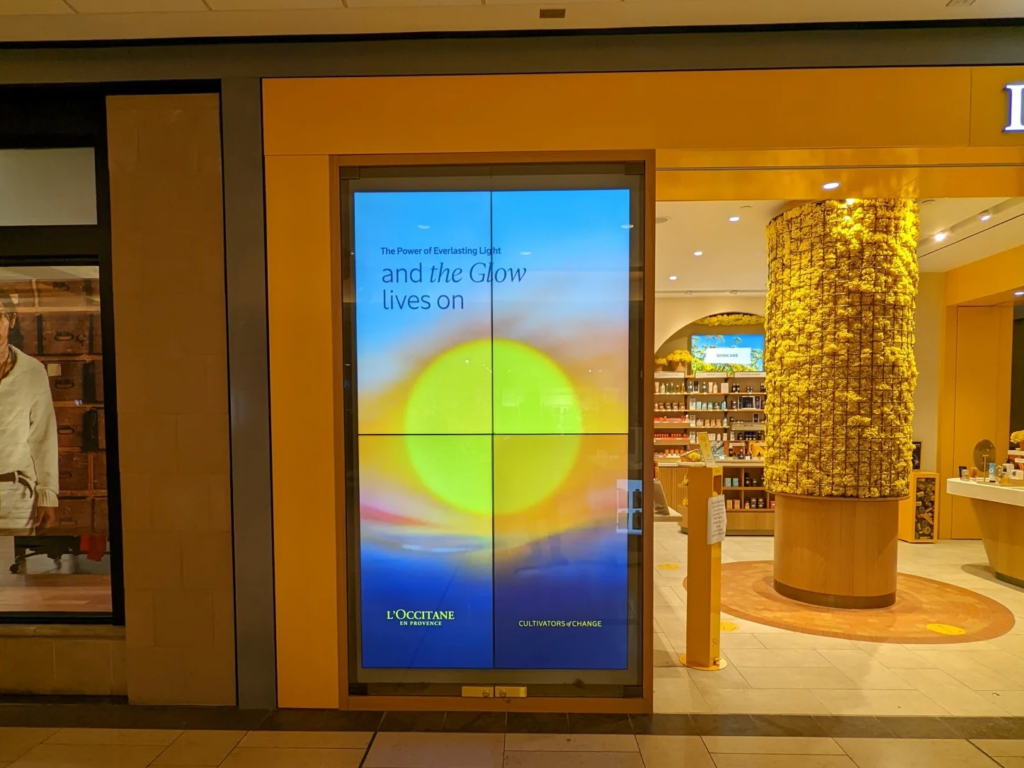
Creating a video wall correctly comes down to three decisions made before a single panel is unboxed: the panels themselves, the controller that drives them, and the mounting hardware that aligns them. Get any one wrong and the result either fails within 18 months or looks like four TVs taped together. Get all three right and the same install can run for a decade. The 85" / 98" wall we deployed at Victoria's Secret Fifth Avenue is in year three with no panel swaps; the 2x2 retail walls we install routinely outlast the lease.
CrownTV has been deploying video walls for 13+ years across 1,800+ businesses — roughly 10,000 screens currently live. This guide walks the create-a-video-wall process from the 4-TV (2x2) starter through 9-TV (3x3) flagship configurations, with the specific gear, mounts, and controllers we use on real installs.
TL;DR — How to Create a 4-TV (2x2) Video Wall
The fastest path to a working 2x2 video wall:
- Buy four matched commercial panels. Samsung VM55B-T or LG VH7E — 55", 500 nits, 0.88mm combined bezel, 24/7 rated. Don't substitute consumer TVs.
- Buy a 2x2 video-wall mount system. Chief LVS or Peerless DS-VW795. Generic TV mounts cannot hit sub-millimeter alignment.
- Pick a controller. Cheapest path: DisplayPort 1.2 MST daisy-chain (one source, one cable, four panels). Mid-tier: Datapath FX4 video wall controller. Most flexible: four synchronized media players, one per panel, driven by a CMS.
- Plan power and signal. Each panel needs a 110V outlet and an HDMI/DP input. Four panels = four power circuits and four signal pulls behind the wall.
- Mount, align, calibrate, content-test. Bottom row first, level perfectly, then upward. Set bezel compensation in the controller. Run a 24-hour content loop before sign-off.
Hardware budget: $14,000–$22,000 for a 2x2 install. Time on-site: 6–10 hours for a two-person crew. Full project lead time including structural review and panel ordering: 3–5 weeks.
Step 1 — Display Selection (Commercial-Grade Only)
The single most consequential decision. Commercial video-wall panels differ from consumer TVs in five specific ways:
- Bezel-to-bezel gap. Sub-1mm combined (so 0.44mm + 0.44mm between two adjacent panels) is the current standard. Samsung VM-T sits at 0.88mm, LG VH7-V at 0.9mm. Consumer TVs run 30–80mm.
- Brightness. 500 nits minimum for indoor walls. 700+ for atrium-bright spaces. Window-facing video walls need 2,500+ nits — that's a different category (Samsung OM-series).
- Duty cycle. 24/7 rated. Consumer panels in a video wall configuration burn out in 12–18 months and develop image retention from static content.
- Bezel compensation. Commercial panels accept image offset signals from a controller so content "passes behind" the bezel. Consumer TVs don't.
- Direct-Wired / ZeroBezel inputs. Commercial models support direct-wired daisy-chain (DisplayPort 1.2 MST) — one signal in, one signal out, no separate matrix needed for simple walls.
Standard panel choices for a tiled LCD video wall:
- Samsung VM55B-T / VM55T-U — 55", 500 nits, 24/7, 0.88mm bezel. The workhorse for retail and corporate.
- LG VH7E / VH7J — same class, IPS panel for wider viewing angles. Often the right choice for spaces with off-axis viewers.
- Samsung IF-Series direct-view LED — different category. No bezels at all (direct-view LED). Used in broadcast, flagship retail, and high-end corporate. Higher cost.
- Samsung The Wall All-in-One 146" — flagship MicroLED. Single seamless 146" canvas, factory pre-assembled. Not a tiled video wall, but the right answer when the brief is a single architectural focal point at scale.
For a full panel-by-panel comparison, see best TVs for digital signage in 2026, which covers the Samsung VM-T line and the IF-Series direct-view LED options head-to-head. For The Wall MicroLED in particular, see the Samsung The Wall 146 buyer's guide.
Step 2 — Mounts and Alignment
This is where most video walls go visibly wrong. Bezels can be 0.88mm and the wall still looks misaligned if the mounts don't have proper micro-adjustment.
The mounting system needs three specific features:
- X/Y/Z micro-adjustment. Six degrees of freedom per panel (typically vernier-style adjusters with sub-millimeter resolution). Generic VESA mounts give two-axis adjustment only and that's not enough.
- Gravity tilt or pop-out service position. Each panel needs to swing forward an inch or two for rear-cable access without dismounting the whole wall. Maintenance over a 5-year deployment is constant — service has to be possible without crane work.
- Interlocking rails. The mount system locks adjacent panels together so they share a reference plane. Without this, every panel is a free body and alignment drifts.
Standard choices: Chief LVS (the workhorse), Peerless DS-VW795 (premium), Premier MVWMS (heavy panels). All three include the features above.
Mount install sequence:
- Mount the bottom-row panels first. Get them perfectly level horizontally — every misalignment compounds upward.
- Mount the second row, dropping each panel onto its mount and adjusting the bezel gap to 1mm or less.
- Continue upward.
- Walk back 10 feet, view under operating brightness, and adjust as needed.
The wall surface itself matters as much as the mount. Drywall over irregular framing telegraphs through the bezels. For premium installs, plywood backing or steel reinforcement during pre-construction pays back. Allow 1.5"–4" of depth behind the panels for cabling and ventilation. For the broader pre-install structural workflow, see our video wall setup step-by-step guide.
Step 3 — Controllers (Three Approaches)
The controller is the second-most-consequential decision. Three architectures, each with a clear use-case:
1. Daisy-Chain (DisplayPort 1.2 MST)
The cheapest path. One source feeds the first panel, that panel daisy-chains to the next via DisplayPort 1.2 Multi-Stream Transport, and so on. The source PC sees a single virtual desktop spanning the wall.
- Works for: Simple 2x2 walls with one source, one piece of content, no zone switching.
- Doesn't work for: 3x3+ (DP 1.2 MST tops out at four downstream panels practically), multi-window, multi-source.
- Cost: Built into commercial panels — no separate controller hardware.
2. Dedicated Video Wall Controller
Hardware like Datapath FX4 (the standard mid-tier choice), Userful, or Matrox handles content scaling, multi-source routing, picture-in-picture, and bezel compensation. Required for 3x3 and larger walls, and for any configuration that needs source switching or independent zones per panel.
- Works for: 3x3, 4x4, ribbon configurations, command-and-control walls with multiple live feeds.
- Doesn't work for: Cost-sensitive single-source 2x2 walls (overkill), content-driven walls running scheduled CMS playlists (use option 3 instead).
- Cost: $2,500–$8,000 per controller depending on outputs.
3. Networked Media Players (BrightSign or CrownTV per panel)
One media player per panel, synchronized over the network via a digital signage CMS. BrightSign is the industry standard; CrownTV's own player line slots in for customers running the Dashboard CMS. Each panel runs its own slice of the canvas, but the CMS handles synchronization so the wall plays as one.
- Works for: Content-driven walls running scheduled signage (donor walls, retail loops, lobby content), walls that need to be remotely monitored and updated, walls part of a larger fleet.
- Doesn't work for: Walls that need live source switching from a desktop PC, broadcast applications, command-and-control where new sources are added on the fly.
- Cost: $300–$700 per player + monthly CMS seat ($10–$30 per panel).
Most retail and corporate video walls we deploy use option 3 — the CMS-driven path. It scales cleanly across a fleet of stores and works with the same operational tools that drive the rest of the signage network.
Step 4 — Cabling and Power
Each panel needs:
- 110V power. Plan one outlet per panel. A 3x3 wall needs nine outlets behind the wall — typically one or two dedicated 20-amp circuits.
- Signal. HDMI for short runs (under 25 feet); HDBaseT extenders or fiber-optic HDMI for longer runs. DisplayPort for daisy-chain configurations.
- Network. Cat6 to each media player if you're running option 3. Most installs include a small network switch behind the wall.
- Service slack. 18–24 inches of cable slack per panel so the gravity-tilt mount can swing forward without disconnecting cables.
Plan conduit before drywall closes up. Retrofit cabling through finished walls is expensive and rarely clean. A 3x3 has 27 connections to manage (9 power + 9 signal + 9 network); pre-plan the routing on paper before any drilling.
Step 5 — Content Design
Once the wall is mounted, calibrated, and powered, the content choice determines whether it actually earns the install cost back. Three patterns work:
- Single-canvas content. One image or video at full wall resolution. Visually highest-impact; simplest to produce. Master at native wall resolution (a 3x3 of 4K panels is 6K × 3.4K — render at that resolution, not 1080p upscaled).
- Multi-zone layouts. The wall is divided into independent zones (e.g., a 3x3 with one large center zone and four corner zones). Used for KPI dashboards, multi-feed broadcast, retail showcases mixing brand video and product cards.
- Dayparting. The wall switches content by time of day — morning lobby greeting, midday brand video, afternoon promotional content, evening dim mode. Drives 2–3× more content variety from the same install.
The CMS choice determines what's possible here. Generic CMS tools treat each panel as an independent screen; proper video wall CMS (like the CrownTV Dashboard) treats the wall as a single canvas with zone-aware scheduling.
4-TV vs 6-TV vs 9-TV Setups
Each configuration has its own install considerations. The math changes more than people expect.
4-TV (2x2) Setup
- Diagonal: ~110" with 55" panels (~96" wide × 54" tall).
- Best for: Small retail flagships, mid-size lobbies, conference rooms, donor recognition walls.
- Controller: DisplayPort 1.2 MST daisy-chain works. Datapath FX4 if multi-zone is needed.
- Install time: 6–10 hours, two installers.
- Hardware budget: $14,000–$22,000.
6-TV (3x2 or 2x3) Setup
- Diagonal: ~140–155" depending on panel orientation. Less common than 2x2 or 3x3.
- Best for: Wide ribbon installations (3x2 landscape) over reception desks or transit corridors. 2x3 portrait works for vertical statement walls in flagship retail.
- Controller: Daisy-chain runs out at this scale — use Datapath FX4 (4 outputs daisied to 6) or networked media players.
- Install time: 12–18 hours.
- Hardware budget: $22,000–$38,000.
9-TV (3x3) Setup
- Diagonal: ~165" with 55" panels (~144" wide × 81" tall).
- Best for: Retail flagships, corporate lobbies, mid-size auditoriums, signature donor walls. The standard "this looks like a real video wall" configuration.
- Controller: Dedicated video wall controller required (Datapath FX4 + expansion, Userful, or Matrox).
- Install time: 16–24 hours, often spread across 2–3 days for alignment.
- Hardware budget: $32,000–$55,000.
For larger configurations (4x4, ribbon walls, custom shapes) and the broader sizing math against viewing distance, see our step-by-step video wall setup guide. For non-retail vertical applications like hospital atriums and university libraries, see the digital donor walls breakdown.
Mistakes That Ruin Video Walls
Five recurring failures across the installs we've audited or replaced over 13 years:
- Consumer TVs. The single most expensive shortcut. Consumer panels are not 24/7-rated, have visible bezels, and develop image retention from static content. Replacement cost in year two exceeds the savings on the original purchase.
- Mismatched bezels. Mixing panel models (or even production batches of the same model) gives visible color and bezel-width variance. Order panels in a single SKU run.
- No gravity tilt. Mounts without service position turn every cable repair into a multi-panel dismount. The mount's job is also to stay maintainable.
- No calibration. Panels off the assembly line have small color variations. Without panel-to-panel calibration (built into commercial panels or done with external probes like the X-Rite i1), the wall looks like a quilt.
- Skipped bezel compensation. Without telling the controller the bezel width, content gets visibly cut off behind the seams instead of passing through. Five-minute config step that's routinely missed.
When to Call CrownTV
Most video wall projects fail at the spec stage, not the install stage. The teams that get this right have one vendor responsible for hardware, install, and ongoing service — not three sub-contractors blaming each other when a panel goes out at 18 months. CrownTV runs all three:
- Samsung Authorized Reseller — VM-T video wall panels, IF-Series direct-view LED, The Wall All-in-One MicroLED at commercial-grade pricing
- CrownTV Dashboard CMS for content management, multi-zone scheduling, and synchronization
- Site survey, structural assessment, mounting, controller integration, cabling, commissioning, and warranty service in all 50 states
- 13+ years operating signage — including the Victoria's Secret Fifth Avenue 85"/98" video wall and dozens more retail and corporate installs
Get a video wall quote in four business hours →
For the related buyer-side decision (is a video wall the right answer for your space at all), see video wall digital signage. For the broader use-case context including retail, corporate, and broadcast applications, see video walls use cases. For panel selection, see our display catalog.
Frequently Asked Questions
How do you make a video wall with 4 TVs?
A 4-TV (2x2) video wall needs four matched commercial-grade panels with thin bezels, video-wall mounts that allow X/Y/Z micro-adjustment, and one of three sources: a daisy-chained DisplayPort 1.2 MST signal, a small video wall controller, or four synchronized media players. Mount the bottom row first and level it perfectly — every misalignment compounds upward. Set bezel compensation in the controller so the image looks continuous behind the seams.
Can I use regular consumer TVs for a video wall?
No, not for any deployment that needs to run more than a few hours a day. Consumer TVs have 1.5–3 inch bezels (versus sub-1mm on commercial panels), are not rated for 24/7 operation, and lack bezel-compensation, professional inputs, or the duty-cycle warranty a video wall needs. Consumer panels in a video wall configuration typically fail within 12–18 months and develop image retention from any static content.
What's the best video wall controller?
It depends on the wall size and content complexity. For a simple 2x2 with a single source, DisplayPort 1.2 MST daisy-chain is the cheapest option. For 3x3 or larger walls, or anything that needs multi-window or multi-source layouts, dedicated controllers from Datapath FX4, Userful, or Matrox are the standard. For content-driven walls running scheduled signage rather than live feeds, networked media players (one per panel, synchronized via CMS) work best.
How much does a 2x2 video wall cost?
Hardware-only pricing for a 2x2 wall using 55-inch Samsung VM-T panels runs $14,000–$22,000, including mounts and a basic controller. Add 20–35% for installation, cabling, and commissioning. Ongoing CMS costs typically run $10–$30 per panel per month. A retail-quality 2x2 install delivered turnkey lands in the $20,000–$30,000 range.
Do video walls need a special mount?
Yes. Video-wall mounts have X/Y/Z micro-adjustment so each panel can be aligned to its neighbors with sub-millimeter precision. Generic TV mounts cannot hit that tolerance and a 2mm misalignment is visible to the eye on a tight-bezel wall. Standard choices are Chief LVS, Peerless DS-VW795, and Premier MVWMS — all built specifically for tiled commercial panels and most include a gravity-tilt or pop-out service position for rear-cable access.
What's a ZeroBezel display?
ZeroBezel is the marketing term for sub-1mm bezel-to-bezel commercial panels — Samsung VM-T (0.88mm combined) and LG VH7-V (0.9mm) sit in this class. The image-to-image gap is so narrow it reads as a single canvas at normal viewing distance. Older video wall panels with 3.5mm or 5mm bezels are visibly seamed and feel dated for any premium install.
Can I use Samsung The Wall for a video wall?
Samsung The Wall All-in-One is direct-view MicroLED, not a tiled LCD video wall. It ships factory pre-assembled and pre-calibrated as one piece (the 146-inch model is a single unit), so it isn't strictly a video wall in the tiled sense — it's a single seamless MicroLED display. For most flagship installs that would otherwise require a tiled video wall, The Wall All-in-One eliminates the cabinet alignment work but starts around $170,000 versus $14,000–$55,000 for a comparable LCD video wall.
What's the minimum bezel for a clean video wall?
Sub-1mm combined bezel-to-bezel (so each panel contributes 0.44mm) is the current commercial standard. At that gap, the seams disappear at viewing distances over 4 feet. Anything above 1.5mm is visibly seamed for content with people, faces, or fine type. For broadcast or photography backdrops where the camera will catch the seams, direct-view LED with no bezels at all is the next category up.
How long does it take to install a 2x2 video wall?
On a clean install with structural review already done and panels on site, a 2x2 takes one day — usually 6–10 hours for two installers. The bottleneck is alignment, not bolting. A 3x3 takes 2–3 days, and a 4x4 with controller integration runs 4–5 days. Most install-day overruns trace back to skipped pre-work (structural reinforcement, conduit pulls, power circuits) rather than mounting itself.
What goes wrong on a video wall install?
Five recurring failures: using consumer TVs instead of 24/7-rated commercial panels, generic TV mounts without micro-adjustment (bezels look misaligned), no bezel compensation set in the controller (content gets visibly cut off behind the seams), wall framing not flat enough (drywall over irregular studs telegraphs through), and no thermal headroom for cabling and ventilation behind the panels. All of these are pre-install decisions, not field problems.
Read Next
- Video Wall Digital Signage: Hardware, Layout, and Real Costs
- Video Wall Setup: A Step-by-Step Install Guide
- Digital Donor Walls: How They Work and What They Cost in 2026
- Samsung The Wall All-in-One 146" MicroLED Buyer's Guide
- Best TVs for Digital Signage in 2026
External references (Samsung and LG product pages): Samsung VM-Series Video Wall · LG VH7-V Video Wall Series.
Keep reading
More guides like this
Operator-grade playbooks, weekly.
Proof, not pitches
See real installs
Live deployments across hospitality, retail, and offices.
Ready to deploy?
Get a quote in 4 hours
Reply within four business hours. No call required.