
Corporate tower lobby — full program
Brand video wall + tenant directory + conference-room status + visitor self-check-in, all running on one Dashboard with scoped permissions for property management, individual tenants, security, and IT.
Lobby digital signage
Visitor welcome screens, digital tenant directories, conference-room status, security and check-in displays, and brand-ambient lobby video walls — one coordinated program shipped, installed, and managed by CrownTV across corporate towers, hospital lobbies, hotel lobbies, multi-tenant office buildings, and government building entrances.
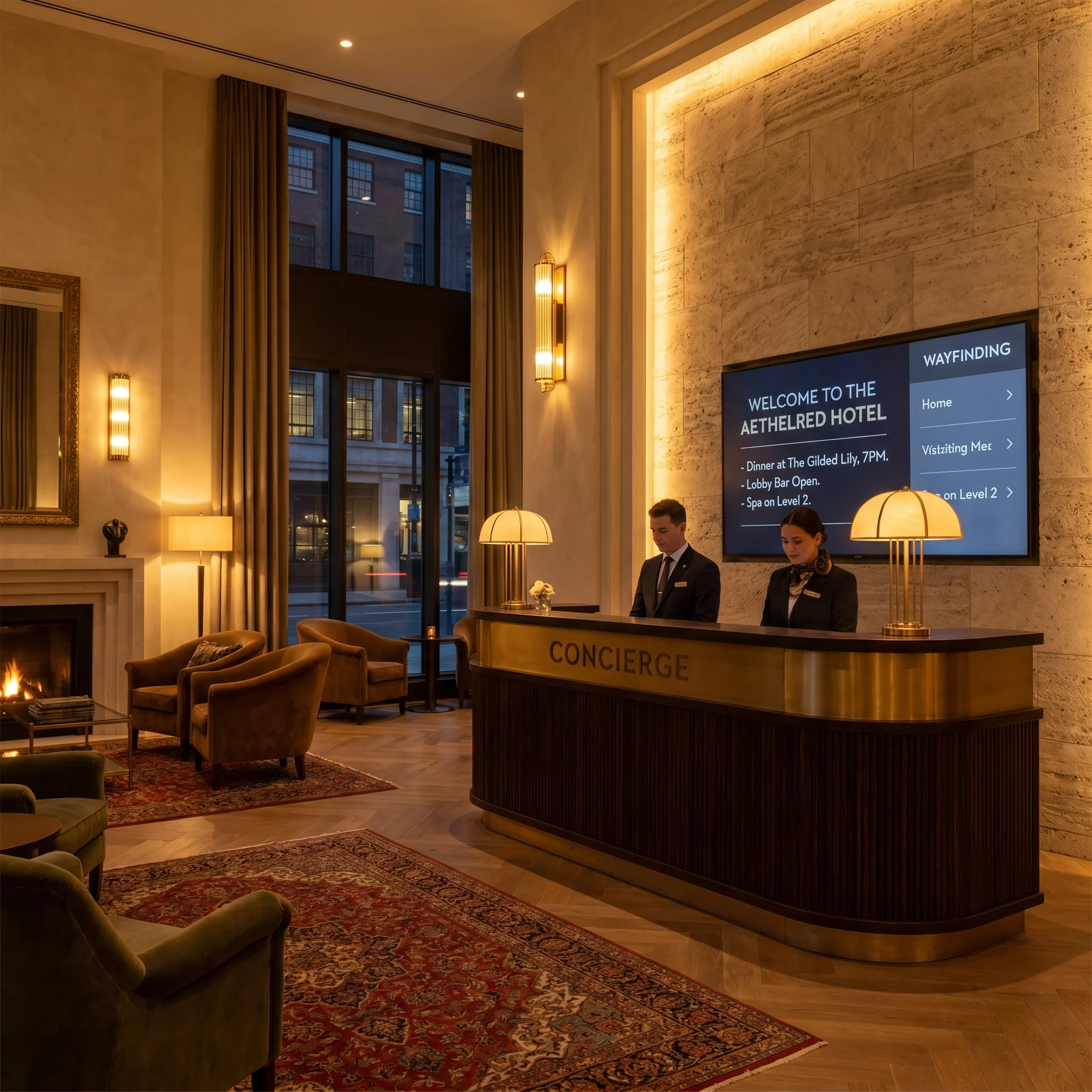
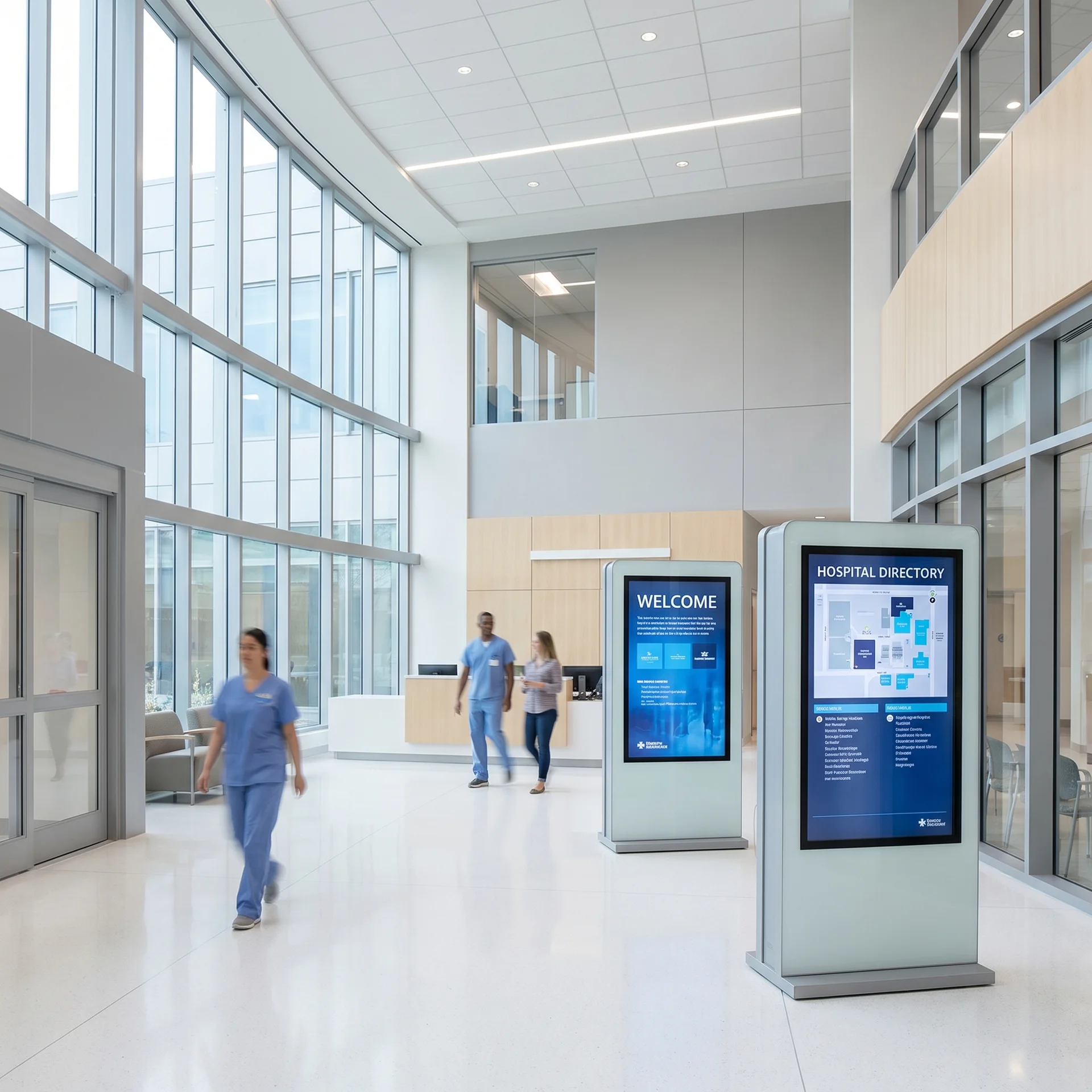
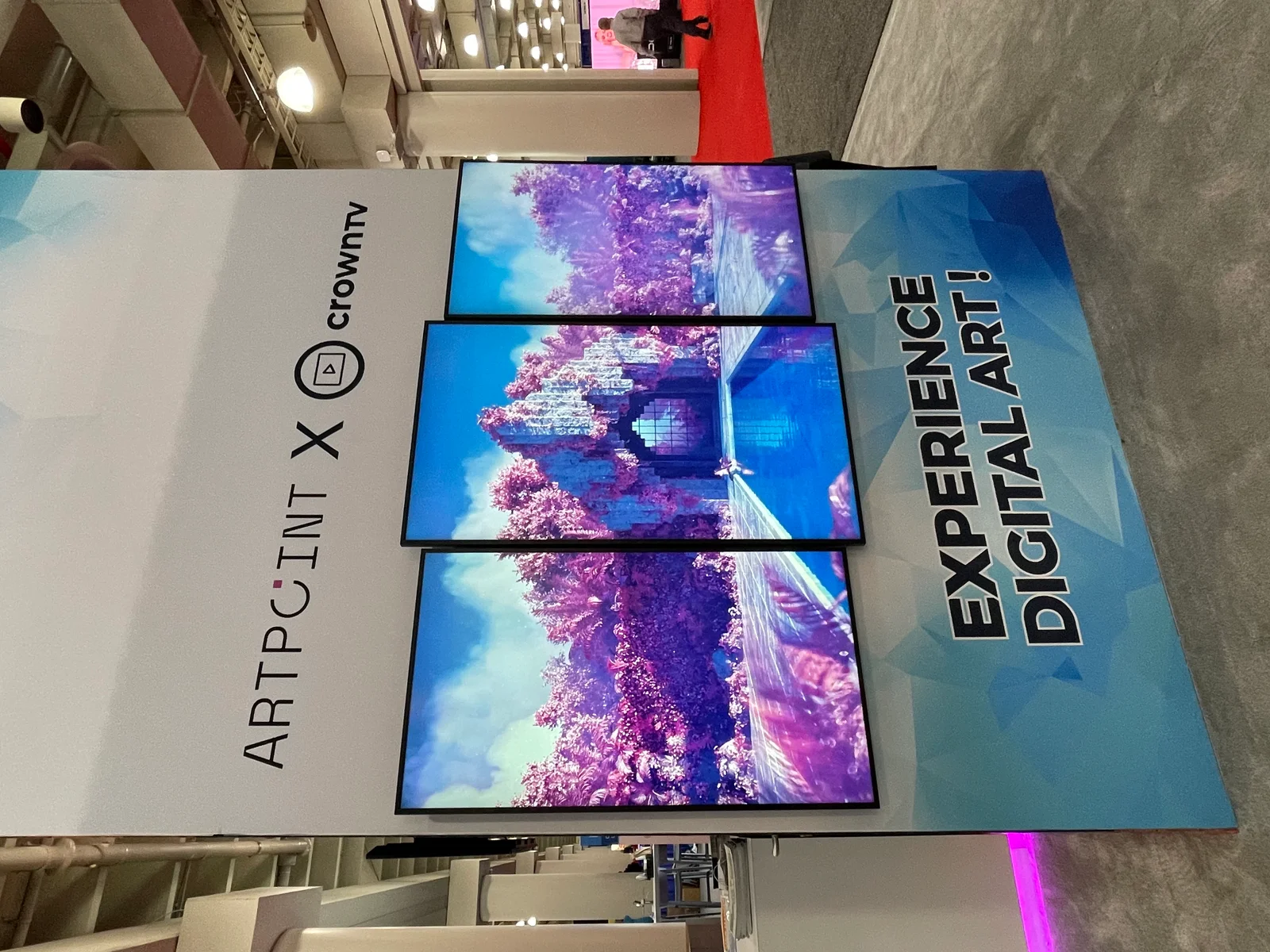
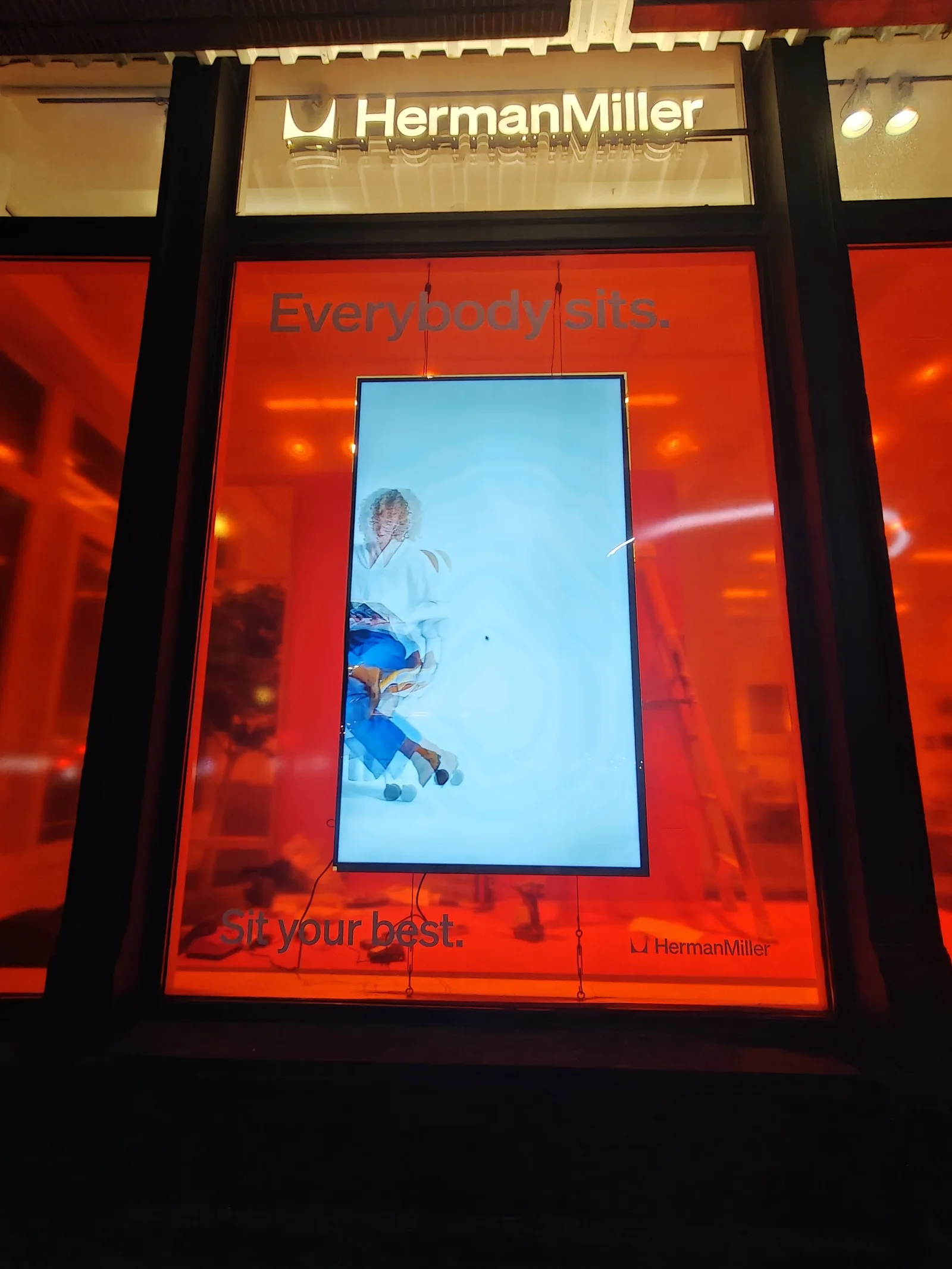
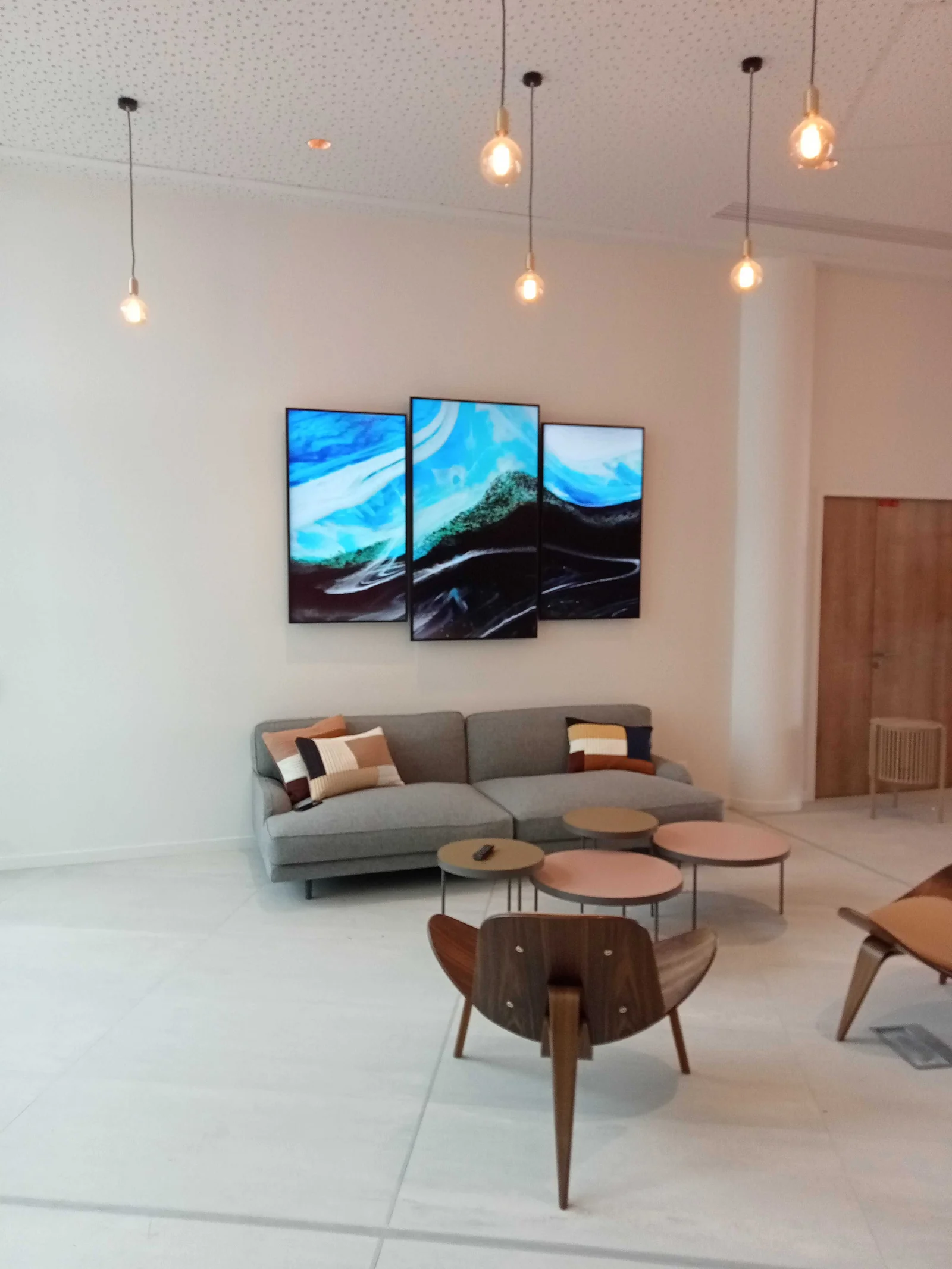
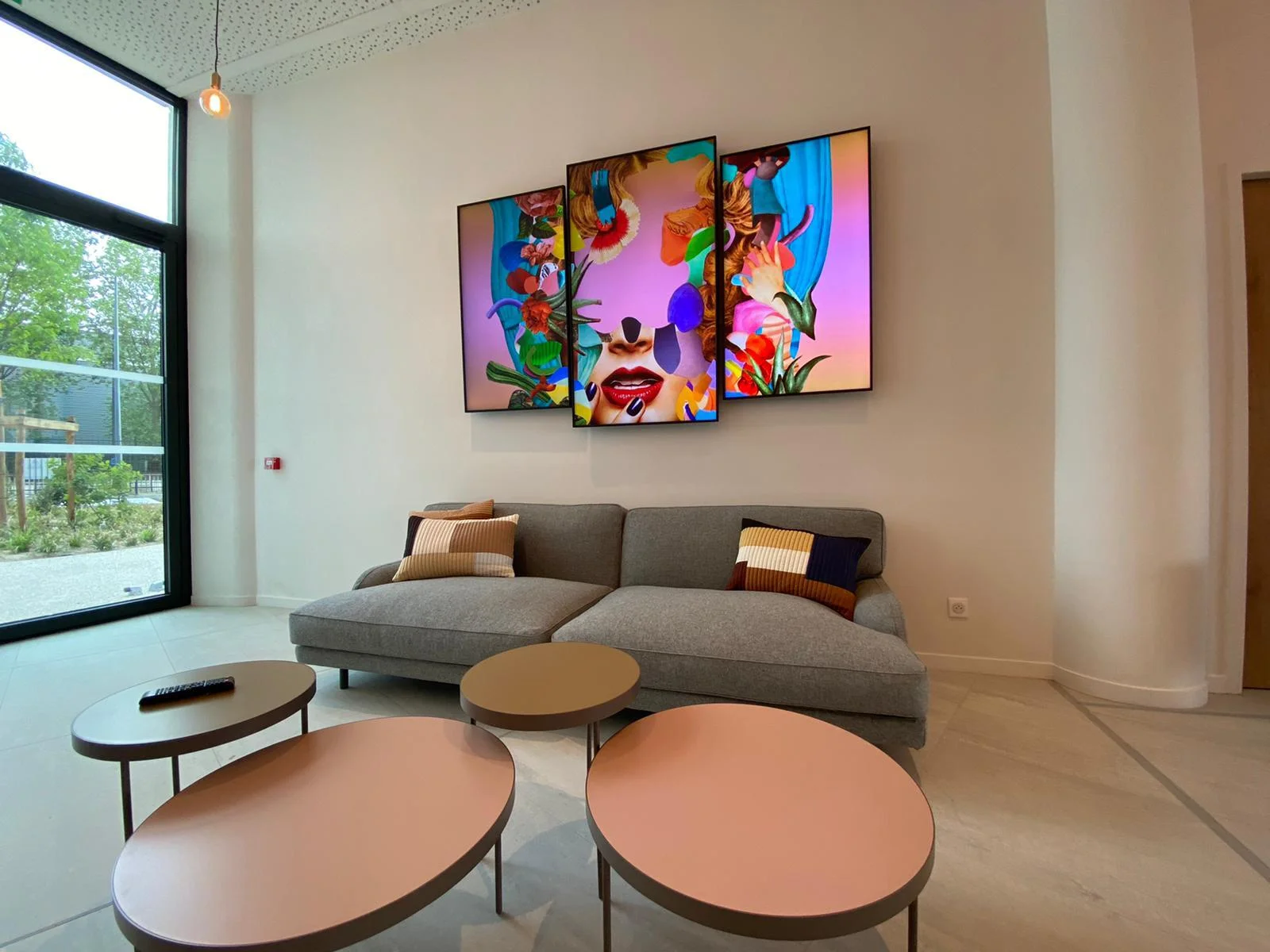
Five lobby surfaces, one Dashboard — welcome screen, tenant directory, wayfinding panel, security check-in, and brand-ambient video wall.
Trusted by leading brands since 2012






The lobby is the first impression and the longest dwell time anyone has with the brand before they sit down. A typical visitor stands in a corporate or multi-tenant lobby for 90–180 seconds — checking in, waiting on a host, looking at the directory, glancing at the brand wall. That window is the most-watched real estate in the building, and most operators are still running it on a printed directory in a glass case, a laminated welcome board, and whatever the front-desk team puts on the back wall. Lobby digital signage replaces all of it with a coordinated program: an arrival-screen welcome board, a digital lobby directory (touchscreen or static), a wayfinding-in-lobby panel, a security and check-in display, and a brand-ambient lobby video wall — every screen running from the same CrownTV Dashboard, every record edited once and synced across every panel in seconds. Corporate office lobbies, medical and hospital lobbies, hotel lobbies, multi-tenant office buildings, and government building entrances all run on the same program template. CrownTV ships the panels, installs them, and runs the Dashboard.
Three changes that come with putting the lobby program on screens instead of behind a glass case.
Welcome screen, tenant directory, wayfinding panel, security check-in, and brand-ambient lobby video wall — all on one Dashboard with scoped permissions per stakeholder. Property management edits the master directory, security keeps the override channel, marketing schedules brand video drops, and IT keeps the kill switch. No screen in the lobby drifts out of sync with the others.
The arrival screen greets the visitor by name when they walk in. The directory tells them which floor they're going to. The brand video bed runs in the background while they wait. The conference-status display shows their host's room is ready. The visit feels intentional from the door instead of waiting on a printed sign-in clipboard.
Edit a tenant, every screen updates. Push an evacuation route during a fire drill, every floor lights with the right plan in seconds. Critical safety infrastructure tested quarterly with managed-service customers during scheduled drills — security and property management both train on the override workflow at install.
What changes when the lobby program runs from a single Dashboard with scoped permissions per stakeholder.
Real installs across corporate, hospitality, healthcare, retail, and multi-tenant. Same Dashboard, same permission model, same nationwide install crew.
Corporate showroom lobby with branded welcome surface, ambient brand video, and floor-by-floor directory. Department-scoped permissions, brand template enforced at the program level.
Boutique entry digital signage paired with the broader 150+ store retail program. Brand-ambient video, welcome surface, and seasonal campaign drops driven from the same Dashboard as the store's product walls.
Lobby program with brand video wall, tenant directory listing every floor and tenant, conference-room status integrated with Microsoft Graph, and visitor self-check-in via Envoy. Scoped permissions per stakeholder.
Department directory pulled from the scheduling system, on-call rotations, visitor queue-position displays, and emergency-override channel tested quarterly. Physically and content-segregated from clinical signage.
Five surfaces cover almost every lobby program we ship. Sizes and orientations driven by viewing distance, ADA reach-range, and content density.
| Environment | Spec target | Recommended panel |
|---|---|---|
| Arrival-screen welcome board | 500 nits / 16/7 duty / landscape | Indoor commercial 43″ or 55″ landscape |
| Digital lobby directory (static) | 500 nits / 16/7 duty / portrait | Indoor commercial 55″ portrait |
| Digital lobby directory (touchscreen) | 300 nits / touch / 16/7 duty | Indoor commercial 21.5″ or 32″ touch |
| Wayfinding-in-lobby panel | 500 nits / 16/7 duty / landscape | Indoor commercial 49″ landscape |
| Security and check-in display | 500 nits / 16/7 duty / landscape | Indoor commercial 32″ or 43″ landscape |
| Brand-ambient lobby video wall (reception strip) | 500 nits / 24/7 video-wall / 1.7mm bezel | Samsung VH-B 55″ × 3 (1×3 strip) |
| Brand-ambient lobby video wall (focal point) | 500 nits / 24/7 video-wall / 1.7mm bezel | Samsung VH-B 55″ × 4 (2×2) |
| Conference-room status display | 500 nits / 16/7 duty / landscape | Indoor commercial 32″ landscape |
Real installed-price ranges from CrownTV lobby deployments shipped in the last 12 months. Hardware, ADA-compliant mount, network drop, content commissioning, and one-year CrownTV Dashboard included.
$11,000 – $19,500 installed
Arrival-screen welcome, digital lobby directory (static), wayfinding-in-lobby panel, security check-in display. Mounts, network drops, brand template + permission scoping, override channel, 1-year CrownTV Dashboard.
$28,000 – $48,000 installed
Starter program plus a 1×3 reception strip or 2×2 brand-ambient video wall (Samsung VH-B narrow-bezel). Frame-accurate sync, calibration, custom canvas content, 1-year Dashboard.
$32,000 – $58,000 installed
Multi-floor program with conference-room integration (Microsoft Graph / Google Calendar / Robin / Teem), tenant promo overlays, scoped permissions per stakeholder, 1-year Dashboard.
$42,000 – $84,000 installed
Department directories, exam-room signage, EMR integration (Epic / Cerner via HL7 / FHIR), emergency-override workflow tested quarterly, 1-year Dashboard.
Multi-building campus programs custom-quoted with wave-by-wave install schedule per building. Visitor-management integrations (Envoy, Proxyclick, Sine) and EMR integrations (Epic / Cerner via HL7 / FHIR) priced as one-time setup fee. Quote SLA: 4 business hours, Mon–Fri 9am–6pm ET.
Samsung commercial-grade 4K panels at 43", 49", 55", 65", and 75" for standalone lobby displays. 21.5" touchscreens for visitor self-check-in and interactive directories. Samsung VH-B narrow-bezel video-wall tiles (1.7mm bezel-to-bezel) for flagship brand-ambient lobby walls — typical configurations are 2×2 of 55″ for corporate-lobby focal points and 1×3 strips behind reception desks. The CrownTV media player on every screen drives content over HDMI 2.0a; the CrownTV Dashboard CMS manages every panel from a browser with scoped permissions per stakeholder. Indoor commercial duty cycle (16/7) standard; 24/7 video-wall rating where the lobby runs after-hours.
See Commercial displays →Brand video wall + tenant directory + conference-room status + visitor self-check-in, all running on one Dashboard with scoped permissions for property management, individual tenants, security, and IT.
Arrival-screen welcome with guest names pulled from the PMS, event-of-the-day board for conference and banquet floors, ambient brand video tied to dayparts (morning calm, evening energy).
Department directory pulled from the scheduling system, on-call rotations, visitor information, and queue-status displays. Physically and content-segregated from patient-facing clinical signage.
Digital lobby directory listing every tenant alphabetically and by floor with a multi-language toggle. Property management edits the master record; every screen in the lobby and on every floor updates from the same source.
Public-service lobby with department directory, queue-position display, multi-language cycling (English / Spanish / Mandarin), and ADA-compliant audio output for visually-impaired visitors.
1×3 strip behind a reception desk or 2×2 corporate-lobby focal point. Brand film loops, welcome card overlay, utility strip across the bottom for weather, time, and event-of-the-day. The cheapest hero moment a corporate building can buy.
Content templates
Brand template enforced at the program level; departments and tenants fill the slots. Override channel pre-built and tested at install.
Arrival-screen greet with visitor name and host detail pulled from the visitor-management system.
Alphabetical tenant or department list with multi-language toggle. Edit once; every screen updates.
Vector floor-plan with conference-room status overlay. Drives the wayfinding-in-lobby panel at the elevator bank.
Building-wide schedule plus room-side touchscreens with current meeting + one-tap extend / release.
Lobby video-wall brand campaign film as one continuous canvas. Twelve-second loop, frame-accurate sync.
Per-floor evacuation route override. One click pushes to every screen with the right floor's plan.
Built and edited in the CrownTV Dashboard you control. Every template ships pre-loaded; the operator drops in photos, prices, and copy on day one.
Integrations
Visitor-management, room-booking, building-management, and emergency-override webhooks all flow into the same Dashboard.
Visitor name + host pushed to the arrival screen and security check-in display in real time.
Same arrival-screen and queue-position pattern via the Proxyclick API.
Touchscreen self-check-in with badge print and host notification.
Conference-room status, building-wide schedule, and one-tap extend / release wired to Outlook bookings.
Same room-booking pattern via Google Calendar API.
Native API integration for room-side touchscreens with availability and booking.
Hospital lobby renders on-call rotations, department locations, and queue-position where IT can authorize.
Leasing teams edit one record; every screen in the lobby and on every floor updates in seconds.
Garage availability, HVAC notices, elevator service status overlay as utility strips on the wayfinding panel.
Visitor-arrival notifications post to the host's channel automatically.
Per-floor evacuation routes pushed in seconds; tested quarterly during scheduled drills.
Every integration runs through the CrownTV Dashboard you control — credentials stay scoped to the connector, refresh schedules are configurable per zone, and the dashboard verifies the asset landed before clearing the change as live.
CrownTV runs lobby digital signage programs for corporate towers, multi-tenant office buildings, hotel and resort lobbies, hospital and clinic main lobbies, government building entrances, education campus visitor centers, and museum welcome areas. Most programs combine 4–8 surfaces in a single lobby; multi-building campus rollouts run a wave per building on the same template.
Samsung commercial-grade 4K panels at 43″, 49″, 55″, 65″, and 75″ for standalone surfaces. 21.5″ and 32″ touchscreens for visitor self-check-in and interactive directories. Samsung VH-B narrow-bezel video-wall tiles (1.7mm bezel-to-bezel) for brand-ambient lobby video walls — 1×3 reception strip or 2×2 corporate-lobby focal point are the two most-shipped configurations. The CrownTV media player on every screen — Linux-based, networked, locked down to a signage VLAN per IT spec.
Site survey including a traffic-flow walk to verify placement and ADA-compliant mounting heights. Mount specification (flush wall, articulating, ceiling-drop, or video-wall stack mount). Network spec — Cat6 to a managed switch, each screen on a signage VLAN. Permitting, COIs, and ADA compliance verification handled in-house. Single-lobby programs ship in 1–2 days from arrival on site to content live; multi-building campus rollouts run a wave per building.
Lobby template per industry (corporate tower, hotel, hospital, multi-tenant, government, education). Multi-language cycling (English / Spanish / Mandarin / French) per touchpoint. Vector floor-plan rendering so the directory scales cleanly across screen sizes. Emergency-override templates pre-built and tested. API integrations for visitor-management systems, room-booking systems, EMRs, and building-management systems.
Proactive offline alerts in under five minutes. Quarterly emergency-override drill with managed-service customers. Hardware swap in 5 business days under Samsung's commercial warranty. 24/7 phone support from a CrownTV operator. Multi-site campus programs get a dedicated account contact, not a tier-one queue.
Lobby digital signage is a coordinated program of networked screens in a building lobby, all running from a single CrownTV Dashboard with scoped permissions per stakeholder. Five surfaces cover almost every program we ship: an arrival-screen welcome board that greets visitors by name, a digital lobby directory (static panel or touchscreen kiosk) that lists tenants and departments, a wayfinding-in-lobby panel at the elevator bank with a floor-by-floor map, a security and check-in display paired with a visitor-management system like Envoy or Proxyclick, and a brand-ambient lobby video wall behind the reception desk or as the lobby focal point. Each surface is sized to its viewing distance, mounted at ADA-compliant heights, and runs from the same Dashboard with permissions scoped per role — property management, individual tenants, security, marketing, IT.
The lobby is the most-watched real estate in the building. A typical visitor stands in a corporate or multi-tenant lobby for 90–180 seconds — checking in, waiting on a host, looking at the directory, glancing at the brand wall. That window is the highest-impact ambient marketing surface in the operation, and most operators are still running it on a printed directory in a glass case, a laminated welcome board, and whatever the front-desk team puts on the back wall. Lobby digital signage replaces all of it with a live system that updates the moment a tenant moves, a guest arrives, or a meeting changes rooms.
Three operational changes drive the upgrade. First, the directory is the Dashboard. Edit a tenant, every screen on every floor updates from the same record within seconds. No more sticker over the wrong suite number; no more property manager fielding calls about how to find a tenant nobody can locate. Second, the visitor experience starts before the host arrives. The arrival screen greets the visitor by name when they walk in. The directory tells them which floor they're going to. The brand video bed runs in the background while they wait. The conference-status display shows their host's room is ready. The visit feels intentional from the door instead of waiting on a printed sign-in clipboard. Third, the emergency override actually works. Push an evacuation route during a fire drill, every floor lights with the right plan in seconds. Critical safety infrastructure that we test quarterly with our managed-service customers during scheduled drills — security and property management both train on the override workflow at install.
Corporate office lobbies run brand video walls, tenant directories, conference-room status integrated with Microsoft Graph or Google Calendar, and visitor self-check-in via Envoy or Proxyclick. Hotel and resort lobbies run welcome screens with arriving-guest names from the PMS, event-of-the-day boards for conference and banquet floors, and ambient brand video tied to dayparts. Hospital and clinic main lobbies run department directories pulled from the scheduling system, on-call rotations, visitor queue-position displays, and emergency-override channels — physically and content-segregated from patient-facing clinical signage. Multi-tenant office buildings run digital lobby directories listing every tenant alphabetically and by floor with scoped permissions per stakeholder. Government building entrances run public-service lobbies with department directories, queue-position displays, multi-language cycling, and ADA-compliant audio output for visually-impaired visitors. Education campus visitor centers and museum welcome areas run brand-ambient video walls plus visitor-information surfaces tied to the day's exhibits or events.
The Dashboard is the directory. Edit a tenant, every screen updates. Multi-tenant properties run scoped permissions — property management edits the master directory, individual tenants edit their own promotional slots, security keeps emergency-override rights, IT keeps the kill switch. Override pushes evacuation routes per floor in seconds: the screen on floor 7 shows the floor-7 plan, the screen on floor 2 shows floor-2's. Critical safety infrastructure that we test quarterly with our managed-service customers during scheduled drills.
The visitor self-check-in surface is a 21.5″ touchscreen mounted at ADA-compliant height (48″ centerline maximum) plus an integration with the customer's visitor-management system. Envoy, Proxyclick, and Sine are the three most-shipped. The visitor types name and host on the touchscreen, the system notifies the host via Slack / Teams / email, the badge prints from a paired thermal printer, and the lobby greeter sees the visitor on a queue display. CrownTV does not replace the visitor-management system — we integrate the touchscreen surface with the system the customer already runs. The entire visitor experience runs from the customer's existing visitor-management workflow; the touchscreen just makes the surface more polished than a tablet on a clipboard.
The lobby video wall is the single largest brand surface inside the building, and the install cost is meaningfully lower than most operators expect. A 1×3 reception strip — three 55″ Samsung VH-B narrow-bezel panels in landscape behind the front desk — makes a 48:9 canvas that reads like a banner across the room. Total install: under two days, under $25K. A 2×2 corporate-lobby focal point — four 55″ panels in a square — makes a roughly 110″ canvas at the lobby's visual focal point for $28K–$42K installed. Both run frame-accurate sync via DisplayPort + HDBaseT daisy-chain so a horizontal pan reads as one motion across the canvas, not as four versions of the pan with frame jitter on the edge tiles. See the video walls use-case page for the full hardware detail.
Hardware: indoor commercial-grade 43″ ≈ $700, 55″ ≈ $1,200, 65″ ≈ $1,700, 75″ ≈ $2,400. 21.5″ touchscreens for visitor self-check-in run roughly $900. Samsung VH-B narrow-bezel video-wall tiles run roughly $4,200 per 55″ tile installed. Single-lobby starter programs (4–6 screens) ship at $11,000–$19,500 installed; lobby programs with a brand-ambient video wall add-on ship at $28,000–$48,000 installed. Multi-tenant buildings (10–18 screens) ship at $32,000–$58,000 installed. Hospital and campus programs (14–28 screens) ship at $42,000–$84,000 installed. Hardware, ADA-compliant mount, network drop, content commissioning, and one-year CrownTV Dashboard included. Multi-building campus rollouts custom-quoted with wave-by-wave install schedule. Full pricing is on the pricing page and quotes return inside four business hours.
Lobby digital signage is one of five use cases CrownTV ships into commercial buildings. The other four cross-cut the lobby program in different ways: wayfinding signage covers the directional surfaces that often live in the lobby (entry directory, elevator-bank floor map, outdoor pylons); internal communications shares the floor-landing screens (the same panel that runs the floor's tenant list can run the company's internal news during a different daypart); video walls covers the brand-ambient lobby video wall as a standalone scope; digital menu boards covers the lobby café or hotel F&B outlet that often sits adjacent to the main lobby. Most CrownTV lobby programs combine 2–3 of these adjacent surfaces in a single Dashboard with scoped permissions.
By industry, lobby digital signage runs across corporate offices and towers, hotels and resorts, hospitals and clinics, universities and K-12 districts, plus government buildings, museums, and coworking. Same Dashboard across every vertical; the templates and integrations change per industry. For the full one-contract bundle including hardware, install, content, and managed service, see turnkey digital signage; for the install-only scope, see digital signage installation; for the ongoing operations layer, see managed digital signage. The commercial display catalog covers the standalone-panel hardware, and the kiosks catalog covers the touchscreen variants.
A typical 7-screen lobby digital signage program: Monday morning, two technicians arrive on site with the panels and mounts. Substrate verification on every screen location takes 30 minutes. Mount installation takes two hours per surface. Network drops are pre-pulled by the customer's IT before we arrive. Cable runs and panel mounting take the remainder of the morning. Afternoon: content commissioning — directory templates loaded with the tenant list, room-booking system integrated and tested, visitor-management integration verified, emergency-override workflow configured and verified. By end of day Tuesday on a typical 7-screen mixed-use lobby, the program is live and the property manager has been trained on the Dashboard. Multi-building campus rollouts run a wave per building on the same template.
Tell us what you're building — all inquiries responded to within 4 business hours.
Quote in 4 business hours
Single café or a 200-store QSR rollout — every quote includes hardware, mount, dedicated-circuit electrical, content commissioning, and one year of CrownTV Dashboard. Same project manager from quote to commissioning. Standard turnkey deployment is under one week.
Related solutions
Multi-floor digital directories, room-side touchscreens, interactive wayfinding kiosks, and outdoor pylons for hospitals, airports, university campuses, shopping malls, hotels, government buildings, and corporate towers.
See wayfindingThe screen by the elevator, in the break room, on the ops floor — read by every employee, every shift. Digital signage for internal communication that complements Slack, email, and Teams instead of competing with them. Floor-by-floor scoping, live KPI dashboards, instant emergency override.
See internal communications2×2, 3×3, jumbotron-scale, or custom configurations for stadium digital signage, mall digital signage, flagship retail, corporate lobbies, hospitality, broadcast, and trading floors. Engineered for sub-millimeter tile-to-tile fit.
See video wallsSamsung commercial menu board displays — indoor commercial 4K indoor menu boards at 500 nits for cafés, fast-casual, and counter-service, plus outdoor IP56-sealed drive-thru menu boards at 3,500–4,000 nits in IP56 weather-sealed enclosures. Featured items see a 15–30% sales lift on a digital menu board. Pressed Juicery runs this stack across multiple retail locations. Hello Boba runs it on a food truck. Kaffe runs it in a café. Same one-vendor contract, same nationwide install crew.
See digital menu boardsAll inquiries responded to within 4 business hours.
No commitment. No hard sell.