
What Is a Digital Signage Player? Hardware, Software, and How to Pick One
What a digital signage player actually is, what's inside one, and how to choose between commercial players, built-in SoC, and mini PCs. Real specs and pricing.
On this page
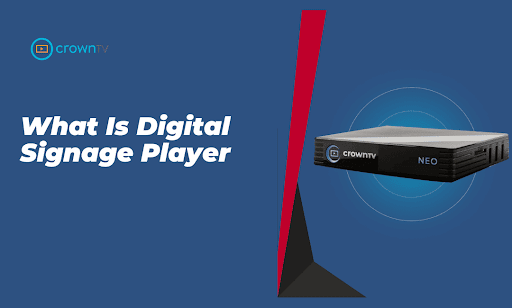
A digital signage player is a small computer that plugs into the back of a screen, connects to the network, and runs whatever content the CMS pushes to it. That's it. The rest of the conversation is about which kind to use, what specs matter, and what fails at scale.
CrownTV has been deploying digital signage players for 13+ years across 1,800+ operators. Roughly 10,000 screens currently run live across L'Occitane, Victoria's Secret Fifth Avenue, Herman Miller, Pressed Juicery, and dozens more. Most of those screens have a dedicated player behind them — for reasons we'll cover.
- What a digital signage player does, technically
- Three player categories — commercial, SoC, and mini PC
- The specs that actually matter (CPU, codec support, network, storage)
- Pricing ranges and the trade-offs at each tier
What a Digital Signage Player Does
Three jobs:
- Pull content from the CMS — images, videos, web feeds, dashboards, social — over the network.
- Decode and render that content at the panel's resolution (1080p or 4K most commonly).
- Stay running 24/7 without crashing, freezing, or needing manual reboots.
That last job is what separates a $250 commercial player from a $30 streaming stick. Most consumer streaming hardware (Roku, Fire TV, Apple TV) isn't designed to run continuously for years. Player crashes that nobody notices for two days are how customers find dead screens in the lobby.
Three Player Categories
1. Commercial Media Players
Purpose-built for digital signage. CrownTV's media player, BrightSign XT/XD/HD series, IAdea XMP series. Designed for 24/7 operation, fanless thermal designs, hardware-accelerated H.264/H.265 decoding, native CMS integration, and remote management built in.
- Pricing: $250–$700 per player depending on the tier
- Best for: any deployment from a single screen up to thousands. The standard choice across our network.
- Strengths: reliability, centralized management, predictable behavior
- Weaknesses: tied to specific CMS partners (BrightSign Network, CrownTV Dashboard, etc.)
2. Built-in System-on-Chip (SoC)
Most commercial displays include a built-in computer (Samsung Tizen, LG webOS, Philips Android). Skip the external player, run signage software directly on the panel.
- Pricing: bundled into the panel cost — "free"
- Best for: single-screen or small (under 10 screens) deployments where the IT overhead of managing separate players isn't worth it
- Strengths: no external hardware, no extra cabling
- Weaknesses: each panel manufacturer's SoC platform is its own walled garden. Tizen apps don't run on webOS. webOS apps don't run on Android. At scale, this becomes a fragmentation problem. SoC also tends to be slower than dedicated player hardware for complex content.
3. Mini PCs and Compute Sticks
Off-the-shelf Intel NUC, Dell OptiPlex, ChromeOS device, or Android stick running signage software. The most flexible option — runs any CMS, any application, any custom browser-based content.
- Pricing: $200–$800 per unit
- Best for: custom installs that need flexibility — interactive kiosks, complex dashboards, custom web applications
- Strengths: flexibility, broad software compatibility
- Weaknesses: consumer OS (Windows, ChromeOS) wasn't built for 24/7 signage. Updates can interrupt. Drivers can break. More moving parts than a purpose-built player.
Specs That Actually Matter
When evaluating a player:
- CPU and GPU. Hardware-accelerated H.264 and H.265 decoding is the difference between smooth 4K playback and a stuttering mess. Modern commercial players (BrightSign XT5, CrownTV current generation) handle 4K60 H.265 natively.
- RAM. 2GB minimum for 1080p. 4GB+ for 4K and complex web content.
- Local storage. 16GB minimum so the player can cache content. If the network drops, the player keeps playing the last known content rather than going to a black screen.
- Network. Wired Gigabit Ethernet. WiFi for backup or for installs where Cat6 isn't feasible.
- Outputs. HDMI 2.0 or higher for 4K60. DisplayPort for video wall daisy-chain configurations.
- Remote management. The CMS should let you reboot, push content, monitor status, and pull diagnostic data without sending someone on-site.
How a Player Connects to the System
Standard architecture:
- Player plugs into the panel's HDMI input.
- Player plugs into power.
- Player connects to the network (Ethernet or WiFi).
- Player provisions itself to a CMS account.
- CMS pushes a content schedule.
- Player downloads content, caches it, and plays it.
For multi-screen deployments, every screen has its own player and every player checks in to the same CMS. The CMS dashboard shows you which screens are online, which are playing, and which need attention.
What Fails at Scale
Three failure modes that show up when fleets get large:
- Consumer hardware drift. Roku, Fire TV, Apple TV, and similar consumer devices update unpredictably. An update at 3am that breaks signage isn't worth saving $200 per player.
- Built-in SoC fragmentation. A 100-screen deployment with mixed Samsung and LG panels means managing two CMS integrations, not one.
- WiFi-only networks. Reliable signage runs on wired Ethernet. WiFi works for one-off installs but degrades at scale.
For more on signage hardware overall, see best TVs for digital signage in 2026. For software comparison, see best digital signage software in 2026.
How CrownTV Helps
One contract for hardware + software + install + service:
- CrownTV media player — purpose-built for 24/7 signage, integrated with the CrownTV Dashboard CMS
- Samsung Authorized Reseller for any panel category — QMR-T, OM, OH, VM-T at commercial-grade pricing
- Site survey, mounting, cabling, commissioning, and warranty service in all 50 states
- 13+ years operating signage players at scale — including L'Occitane (150+ stores) and Victoria's Secret Fifth Avenue
Get a digital signage quote in four business hours →
Read Next
Keep reading
More guides like this
Operator-grade playbooks, weekly.
Proof, not pitches
See real installs
Live deployments across hospitality, retail, and offices.
Ready to deploy?
Get a quote in 4 hours
Reply within four business hours. No call required.